









Image Gallery
12 gallery layouts, from masonry to a 3D image sphere, with a lightbox.
Show your photos as masonry, justified rows, a bento grid, a filterable grid, a spinning 3D sphere, an infinite canvas and more. Every layout shares one lightbox that zooms from the image.








Overview & Features
Show your photos as masonry, justified rows, a bento grid, a filterable grid, a spinning 3D sphere, an infinite canvas and more. Every layout shares one lightbox that zooms from the image.
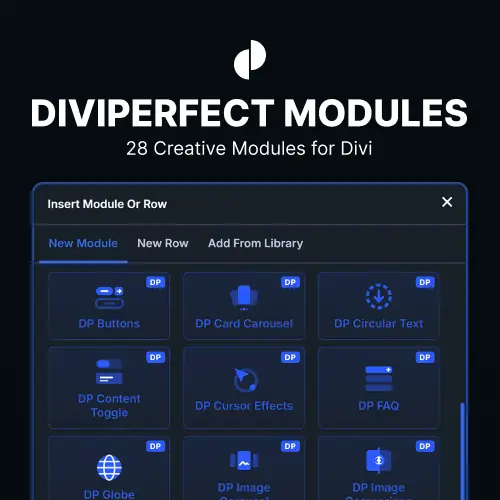
DP Image Gallery is part of DiviPerfect Modules, a collection of 28 creative modules for Divi 5 and Divi 4. Add it in the builder by searching for DP.
Twelve layouts
Masonry, Justified Rows, Bento Grid, Filterable Grid, Photo Stack, 3D Sphere, Curved Wall, Isometric Grid, Infinite Canvas, Scroll Gallery, Scattered Loop and Hover Grid.
Filter by category
Give images a category and Filterable Grid adds buttons that reflow the grid smoothly.
Built-in lightbox
Zooms from the image, with arrow keys, Esc, swipe, and swipe down to close.
Responsive images
Media Library images use WordPress responsive sizes and lazy loading.
Divi 5 and Divi 4
One plugin for both builders, with the same settings and styles in each.
Built with care
Keyboard and screen reader friendly, and calm for visitors who ask for reduced motion.
See every style live
These are the real module, running on this page. Try them: hover, drag, click and scroll.
Masonry
Columns of images at their own heights, in order or balanced.
Justified Rows
Rows of equal height that fill the width.
Bento Grid
Mosaic, feature, stripes or quilt tiles.
Filterable Grid
Category buttons that filter the images with a smooth reflow.
Photo Stack
A fanned stack; the top photo flies to the back.
3D Image Sphere
Images on a globe you can spin by dragging.
Curved Wall
A draggable strip bent around the viewer.
Isometric Grid
A tilted grid drifting past.
Infinite Canvas
A canvas of images you can drag in any direction.
Scroll Gallery
Pinned while a row of images slides past as you scroll.
Scattered Loop
A loose grid of mixed-size images drifting endlessly up or sideways, or with the scroll.
Hover Grid
The pointed-at row and column grow while the rest of the grid makes room.
More image and media modules
Every module below is included in DiviPerfect Modules. See all 28 modules.

Image Carousel
14 image carousels: sliders, rings, helixes, tunnels and more.



Image Hover
6 hover effects: swap, dither, glitch, cursor reveal, pixel trail and liquid ripple.

Image List Hover
Rows for a team, services or projects, whose images show on hover.

Scroll Video
A video that plays as visitors scroll down and rewinds as they scroll up.
Support
Questions about Image Gallery or anything else in DiviPerfect Modules? The Image Gallery documentation covers every setting. If you still need a hand, get in touch and we will help you get it working.

Frequently Asked Questions
Quick answers about DP Image Gallery.
Can visitors filter the images?
Yes. Give each image a Category and choose Filterable Grid. Buttons for each category appear above the grid.
Can an image open a link instead of the lightbox?
Yes. Set On Click to Link and give the image a Link URL, or choose Nothing.
Are the images lazy loaded?
Yes. Images load lazily, and Media Library images get WordPress responsive sizes.
Does it work with Divi 5 and Divi 4?
Yes. DiviPerfect Modules is one plugin for both builders. It finds which Divi your site runs and adds the modules to that builder, with the same settings and styles in each.
Where do I find it in the builder?
Add a module and search for DP. It is listed as DP Image Gallery.