









Running Divi and WooCommerce Together
Divi and WooCommerce are a popular combination for online stores. Divi handles the design; WooCommerce handles the commerce — but image management falls between the two. Divi has no image optimisation tools built in, and WooCommerce's image handling is limited to registering sizes and generating thumbnails automatically.
Divi Image Compressor — Built for Divi Stores
Divi Image Compressor is built by DiviPerfect, a developer specialising in premium plugins for the Divi ecosystem. It sits under the DiviPerfect submenu in your WordPress admin and is compatible with both Divi 4 and Divi 5, tested up to WordPress 6.8.
Cropping Product Images to a Consistent Square
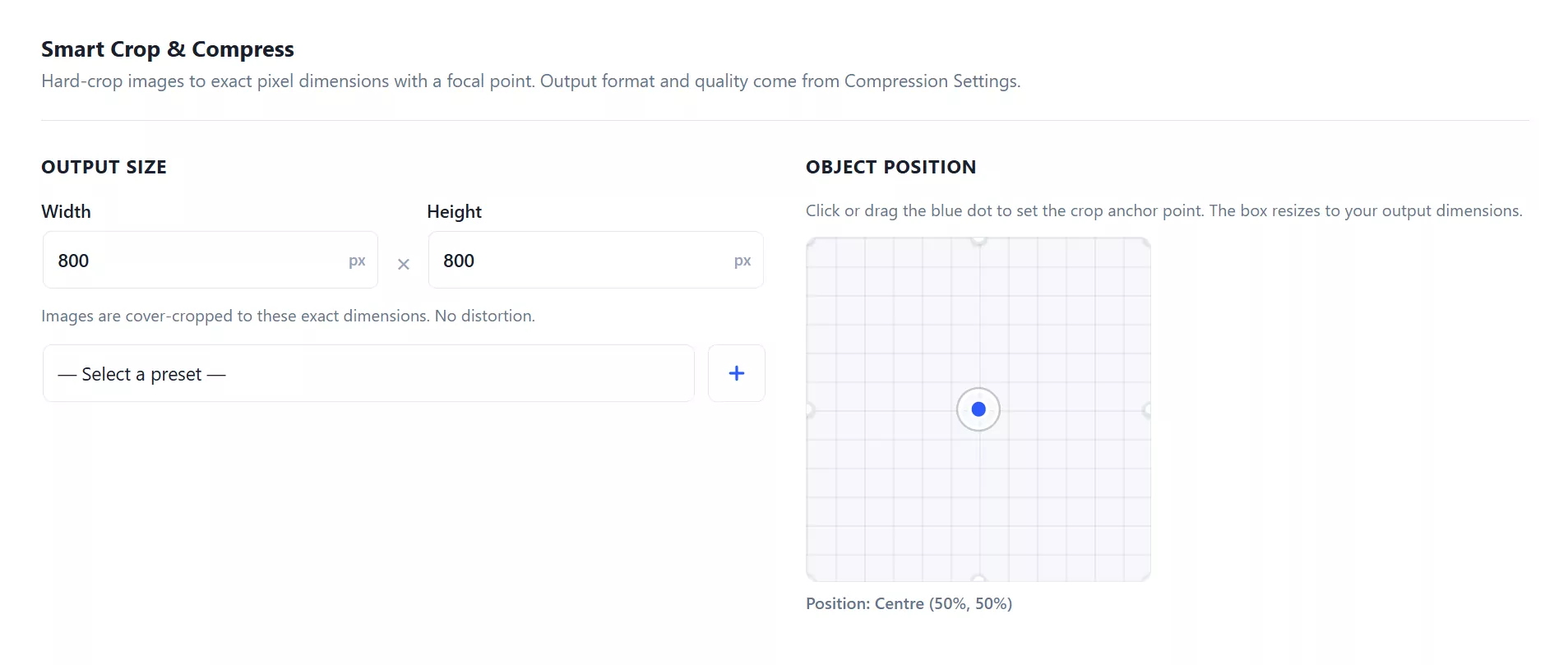
The Smart Crop & Compress tab makes consistent product images straightforward: set width and height both to 800 (or 1200, or your preferred size), position the focal point, and upload your product photos. Each photo is cropped to that exact square using the cover-crop algorithm. The focal point ensures the product itself remains centred in the crop.
Automatic Processing Going Forward
Enable automatic compression in the Compression Settings tab. Max dimension limits, quality, and format conversion apply to every subsequent upload — keeping your product image standard consistent as your catalogue grows.
Per-Folder Quality Rules
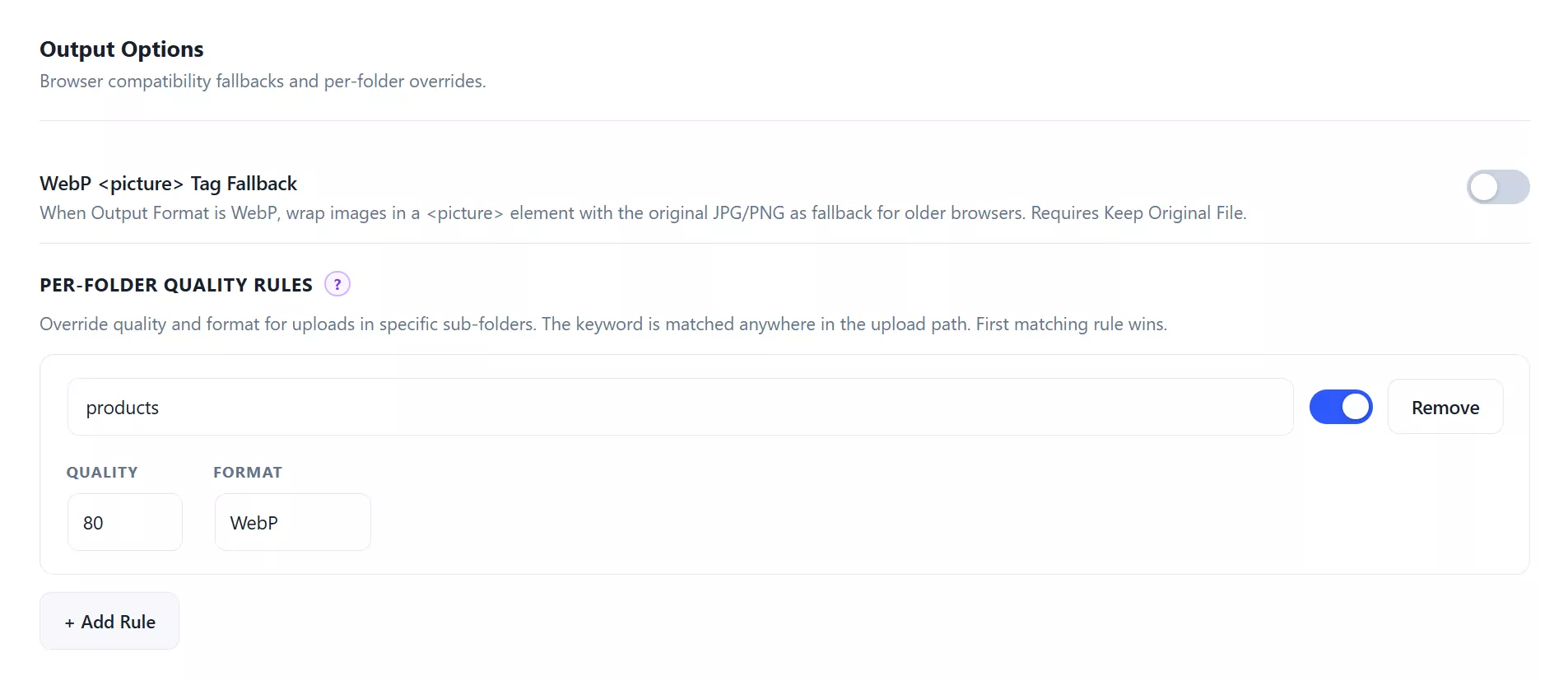
The Advanced Settings tab includes Per-Folder Quality Rules. This lets you apply different quality and format settings to images uploaded to different sub-folders:
- Product images in a "products" folder: quality 80, WebP
- Hero images in a "heroes" folder: quality 85, WebP
- Blog images: quality 75, WebP
Where to Get It
Divi Image Compressor is available on the Divi Marketplace for $29.99 with unlimited website usage, a 30-day money-back guarantee, and one year of support and updates.
Frequently Asked Questions
Does Divi Image Compressor work without the Divi theme?
Yes. The plugin works on any WordPress website. Divi is not required. The plugin registers itself under a DiviPerfect submenu in WordPress admin, which is created by the plugin itself if no other DiviPerfect plugins are installed.
Can I use it on client sites?
Yes. The licence covers unlimited website usage. You can install and use the plugin on as many client sites as you manage.
What happens after my one year of updates expires?
The plugin continues to work indefinitely. You lose access to future updates and support from DiviPerfect after the licence year expires. Updates can be renewed via the Divi Marketplace.
Does the plugin integrate with the DiviPerfect dashboard?
Yes. If you have other DiviPerfect plugins installed (such as Divi Smooth Scroll or Divi Maintenance Mode), Divi Image Compressor registers itself in the DiviPerfect dashboard, giving you a single overview of all your DiviPerfect plugins and their versions.
Does the plugin send my images to an external API for compression?
No. All processing is done server-side on your own WordPress server using PHP GD or ImageMagick. No images are sent to external services. Your images never leave your server.