








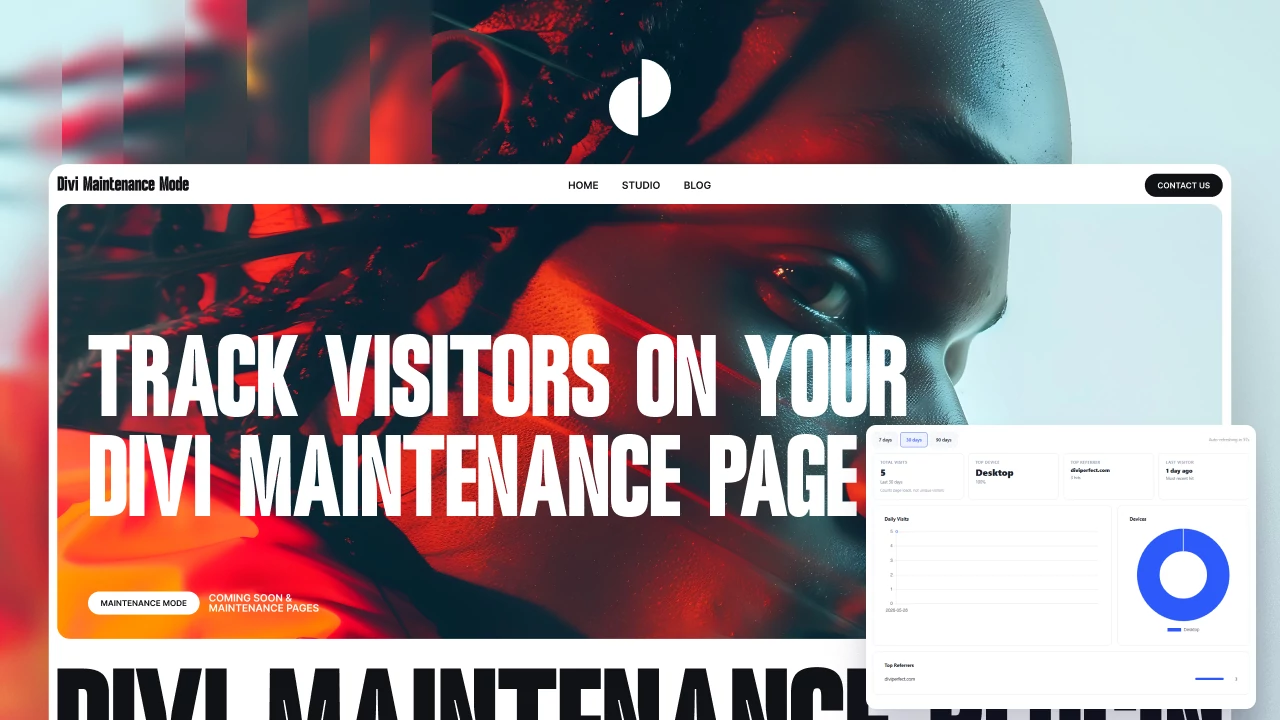
Most maintenance mode plugins show your holding page and stop there. Divi Maintenance Mode 2.0 goes further with a built-in analytics dashboard that tells you who is visiting your holding page, what device they are using, and where they came from — without any third-party tracking account or separate plugin.
Version 2.0 also adds a full developer toolbox: Google Analytics / Tag Manager injection, a search engine ping, WP-CLI support, and a live REST API endpoint.
The Built-In Analytics Dashboard
The Analytics tab in the plugin settings shows you a dashboard of activity on your holding page while a mode is active. All data is stored in your own WordPress database. No data is sent to external servers. No personal information is collected — only aggregated page loads by date, device category, and referrer domain.

Daily Visits Chart
A line chart shows the number of page loads on your holding page for each day within the selected period. Use the period selector to switch between the last 7 days, last 30 days, or last 90 days.
Note: this counts page loads, not unique visitors. If the same person visits three times in a day, that counts as three visits.
Device Breakdown
A doughnut chart shows the split between desktop, mobile, and tablet visitors. Device type is detected from the user agent string. No individual device information is stored.
Top Referrers
The dashboard shows the top referring domains — where traffic to your holding page is coming from. Useful for knowing whether a social post or a link from another site is driving visitors to your maintenance page.
Auto-Refresh
The analytics tab auto-refreshes every 60 seconds while it is open. A countdown shows you when the next refresh will happen. This means you can leave the tab open and watch traffic in near real-time without manually reloading.
Analytics Tag Injection
If you already use Google Analytics, Google Tag Manager, or Universal Analytics on your live site, you may want the same tracking on your holding page. The Developer tab in version 2.0 lets you inject your tracking tag directly into the holding page without editing any template files.
Supported Tag Types
GA4: enter your Measurement ID (e.g., G-XXXXXXXXXX) and the GA4 snippet is injected automatically
Google Tag Manager: enter your Container ID (e.g., GTM-XXXXXXX) and the GTM snippet is injected
Universal Analytics: enter your tracking ID (e.g., UA-XXXXXXXX-X) for legacy GA tracking

Search Engine Ping on Disable
When you disable maintenance mode or coming soon mode and your site goes live, Divi Maintenance Mode 2.0 can automatically notify Google and Bing to re-crawl your sitemap. This pings the standard sitemap ping endpoints used by both search engines.
Enable this option on the Developer tab. The ping fires once when a mode is disabled, whether that happens manually or at the end of a scheduled window.
Custom Meta Description for the Holding Page
Set a custom meta description for your holding page from the Developer tab. This is applied to the page's meta tags automatically.
A noindex, nofollow tag is always added to the holding page when maintenance mode is active, which prevents search engines from indexing the maintenance page itself. For coming soon mode, the page returns HTTP 200 and can be indexed — in this case, a well-written meta description helps it represent your brand well in search results.
WP-CLI Support
Version 2.0 ships with a complete set of WP-CLI commands for use in deployment scripts, CI pipelines, and server automation.
Available commands:
wp dmm status
Shows which mode is currently active, or confirms no mode is active.
wp dmm enable maintenance
Activates maintenance mode (HTTP 503).
wp dmm enable coming-soon
Activates coming soon mode (HTTP 200).
wp dmm disable
Deactivates whichever mode is currently active.
wp dmm token
Displays the current bypass token value.
wp dmm bypass-url
Outputs the full bypass URL including token — useful for scripting client access links.
REST API Status Endpoint
A read-only REST endpoint is available at:
GET /wp-json/dmm/v1/status
This returns the current mode state in JSON. It requires no authentication and is useful for external monitoring systems, status pages, or custom integrations that need to know whether your site is currently in maintenance.
Automatic Visitor Redirect When Maintenance Ends
When maintenance mode is active, an optional polling script runs on the holding page. Every 20 seconds it checks the REST endpoint. When the endpoint confirms maintenance has ended, the visitor's browser automatically redirects to the homepage — no manual refresh required.
This is useful for end users who might have your maintenance page open in a tab during a planned maintenance window. When your work is done and you disable maintenance mode, their browser picks it up within 20 seconds and sends them to the live site.