









Divi Maintenance Mode version 2.0 is not an update — it is a complete rebuild. Every part of the plugin has been redesigned, from a brand-new seven-tab settings panel to a fully functional traffic analytics dashboard, scheduled maintenance windows, guest bypass links, and developer tools that go well beyond what version 1.0 offered.
If you are currently running version 1.0.0, all your existing settings are preserved when you upgrade. This post walks through every new feature so you know exactly what you are getting.

Two Distinct Modes
Version 1.0 had a single maintenance mode. Version 2.0 introduces two separate modes with different purposes and different HTTP responses.
Coming Soon Mode
Coming Soon mode returns HTTP 200. This tells search engines the page is live and crawlable, which is exactly what you want when you are building a new site. Your page is indexed, your domain builds authority, and visitors see a polished holding page while you work behind the scenes.
- Returns HTTP 200 status code
- Search engines crawl and index the page normally
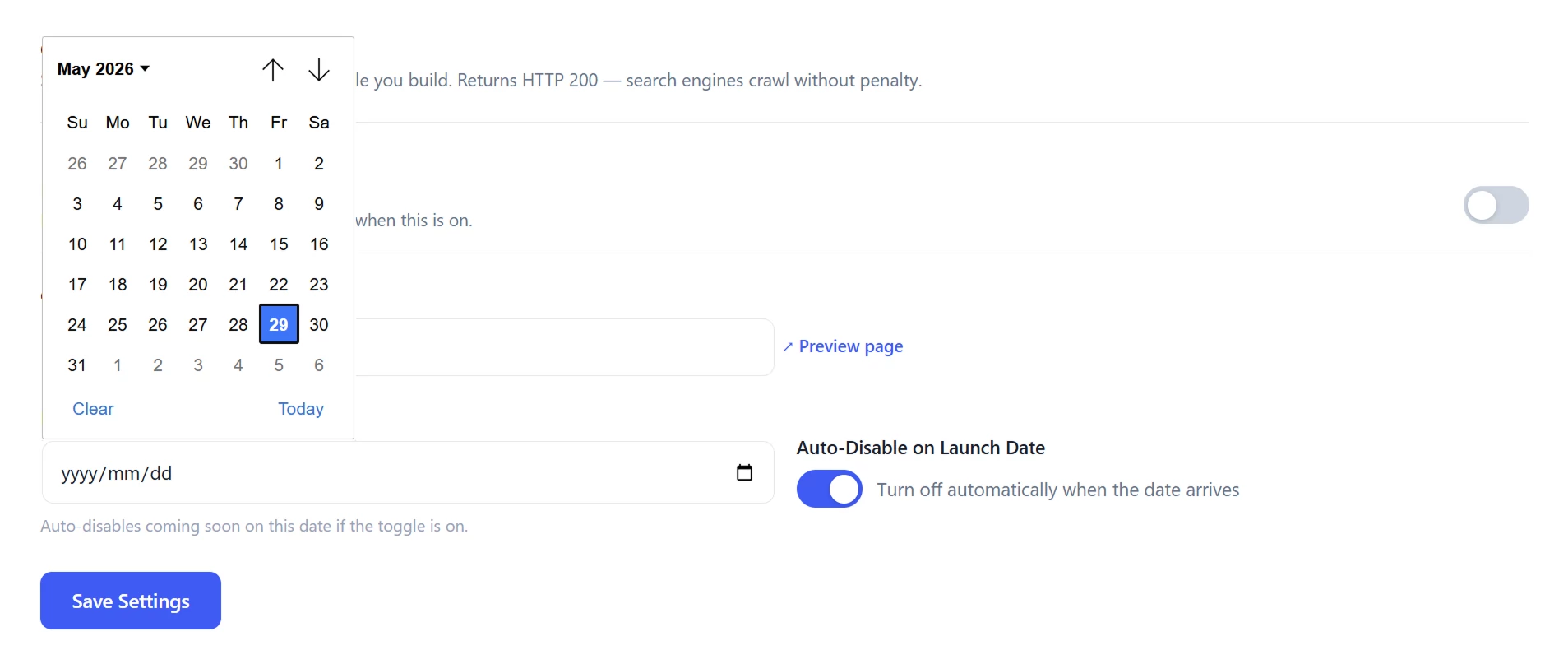
- Optional launch date — the plugin automatically disables Coming Soon mode on the date and time you choose
- Uses a dedicated holding page built in the Divi Builder
Maintenance Mode
Maintenance mode returns HTTP 503 with a Retry-After header. This is the correct HTTP response for a temporary outage — it signals to search engines that the site will return, prevents any negative impact on your rankings, and tells crawlers when to check back.
- Returns HTTP 503 status code
- Configurable Retry-After header duration (from 60 seconds up to 24 hours)
- Uses a dedicated holding page built in the Divi Builder
A New Seven-Tab Settings Panel
The entire settings interface has been rebuilt. Rather than a single settings page, version 2.0 organises everything into seven focused tabs. Your last active tab is remembered between page loads so you land back in the right place every time.
- Coming Soon: holding page, launch date
- Maintenance: holding page, Retry-After duration
- Access: roles, bypass token, IP allowlist, per-page exclusions
- Schedule: recurring maintenance windows
- Notifications: email and Slack alerts
- Analytics: traffic dashboard
- Developer: GA4 / GTM / UA injection, WP-CLI, REST API, search engine ping, meta description
Access Controls and Bypass Options
Version 2.0 gives you multiple ways to control who sees the holding page and who sees the real site.
Bypass by WordPress Role
Choose which logged-in user roles bypass the holding page automatically. The administrator role always bypasses. You can extend this to editors, contributors, or any custom role.
Secret Bypass Token
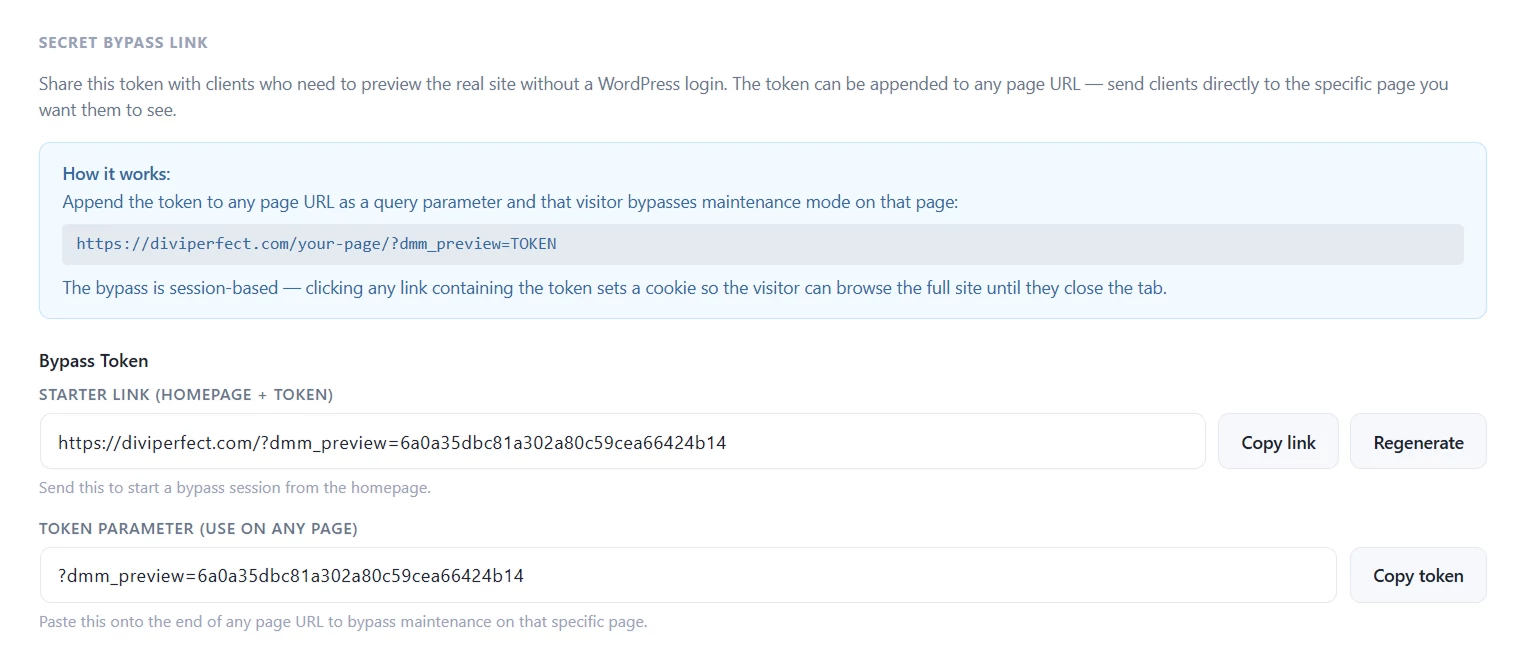
Generate a cryptographically random bypass token from the Access tab. Share the full bypass link with anyone — a client, a stakeholder, a tester — and they can view the real site in their browser without a WordPress account. The link sets a session cookie so they can navigate freely without the token in the URL every time.
A second copy field gives you just the token parameter (?dmm_preview=TOKEN) so you can append it to any specific page URL, not just the homepage.
IP Allowlist
Enter IP addresses that should always see the real site, regardless of mode. Useful for your own office IP or a client's static IP address.
Per-Page Exclusions
Mark specific pages to remain publicly accessible even while a mode is active. Useful for keeping your contact page, privacy policy, or sitemap visible to everyone.
Scheduled Maintenance Windows
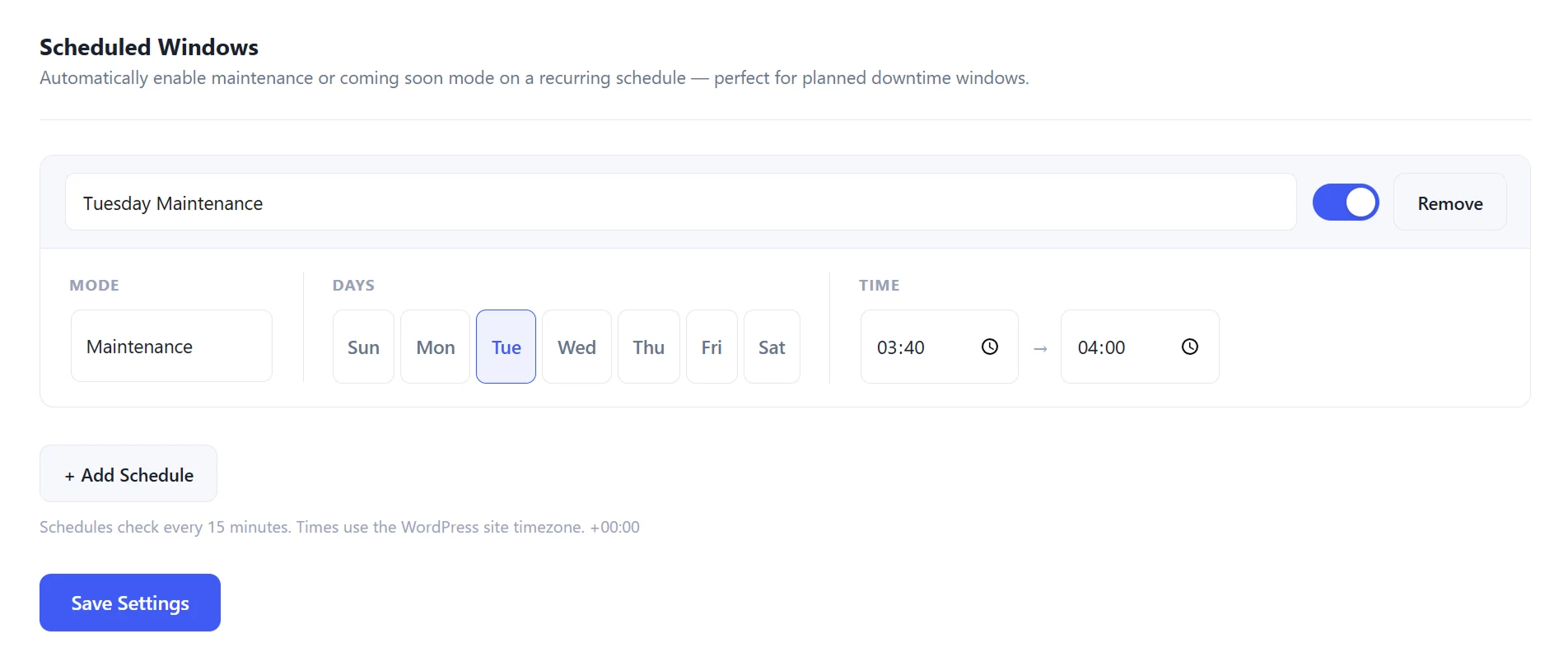
Rather than manually enabling and disabling maintenance mode, version 2.0 lets you set recurring scheduled windows. Choose the days of the week and a start and end time. The plugin checks every 15 minutes using WP-Cron and activates or deactivates maintenance mode automatically. Multiple schedules are supported and each can be toggled independently.
Team Notifications
When a mode is enabled or disabled — whether manually or by a scheduled window — version 2.0 can notify your team automatically.
- Email notifications to a configurable list of addresses
- Slack webhook notifications with the mode status, trigger reason, and a direct link to the settings panel
- Separate toggles for on-enable and on-disable notifications
Built-In Traffic Analytics
Version 2.0 includes an analytics dashboard that tracks visits to your holding page. No third-party plugin or account required.
- Daily visit counts with a line chart
- Device breakdown (desktop, mobile, tablet) shown as a doughnut chart
- Top referring domains
- 7-day, 30-day, and 90-day period selector
- Auto-refreshes every 60 seconds with a visible countdown
- No personal data stored — only page loads by date, device category, and referrer domain

Developer Tools
The Developer tab brings together a set of tools for agencies and developers who need more control over the holding page experience.
Analytics Tag Injection
Paste your GA4 measurement ID, Google Tag Manager container ID, or Universal Analytics tracking ID directly into the settings. The tag is injected into the holding page automatically — no need to edit the Divi template.
Search Engine Ping
When you disable maintenance mode or Coming Soon mode, the plugin can automatically ping Google and Bing to re-crawl your sitemap. This helps search engines pick up your newly live site as quickly as possible.
Custom Meta Description
Set a custom meta description for the holding page. A noindex, nofollow tag is always added automatically during maintenance, so this is primarily useful for the Coming Soon page where you want search engines to crawl and rank your content.
WP-CLI Support
Version 2.0 ships with a full set of WP-CLI commands for automation and deployment workflows:
- wp dmm status: shows the current active mode
- wp dmm enable maintenance: activates maintenance mode
- wp dmm enable coming-soon: activates coming soon mode
- wp dmm disable: deactivates whichever mode is active
- wp dmm token: displays the current bypass token
- wp dmm bypass-url: outputs the full bypass URL
REST API Status Endpoint
A read-only REST endpoint at GET /wp-json/dmm/v1/status returns whether a mode is currently active. This is useful for external monitoring tools, CI pipelines, or custom integrations.
Frontend Polling Script
When maintenance mode is active, an optional polling script on the holding page checks the REST endpoint every 20 seconds. When maintenance ends, visitors are automatically redirected to the homepage — no manual refresh required.
Admin Bar Badge
When either mode is active, a badge appears in the WordPress admin bar with a direct link to the plugin settings. You can see at a glance whether your site is currently in Coming Soon or Maintenance mode without navigating to the settings page.
How to Get Version 2.0
Divi Maintenance Mode is available on the Divi Marketplace. If you are already running version 1.0.0, update through the WordPress dashboard — your settings will carry over automatically.