








What Is WebP and Why Does It Matter?
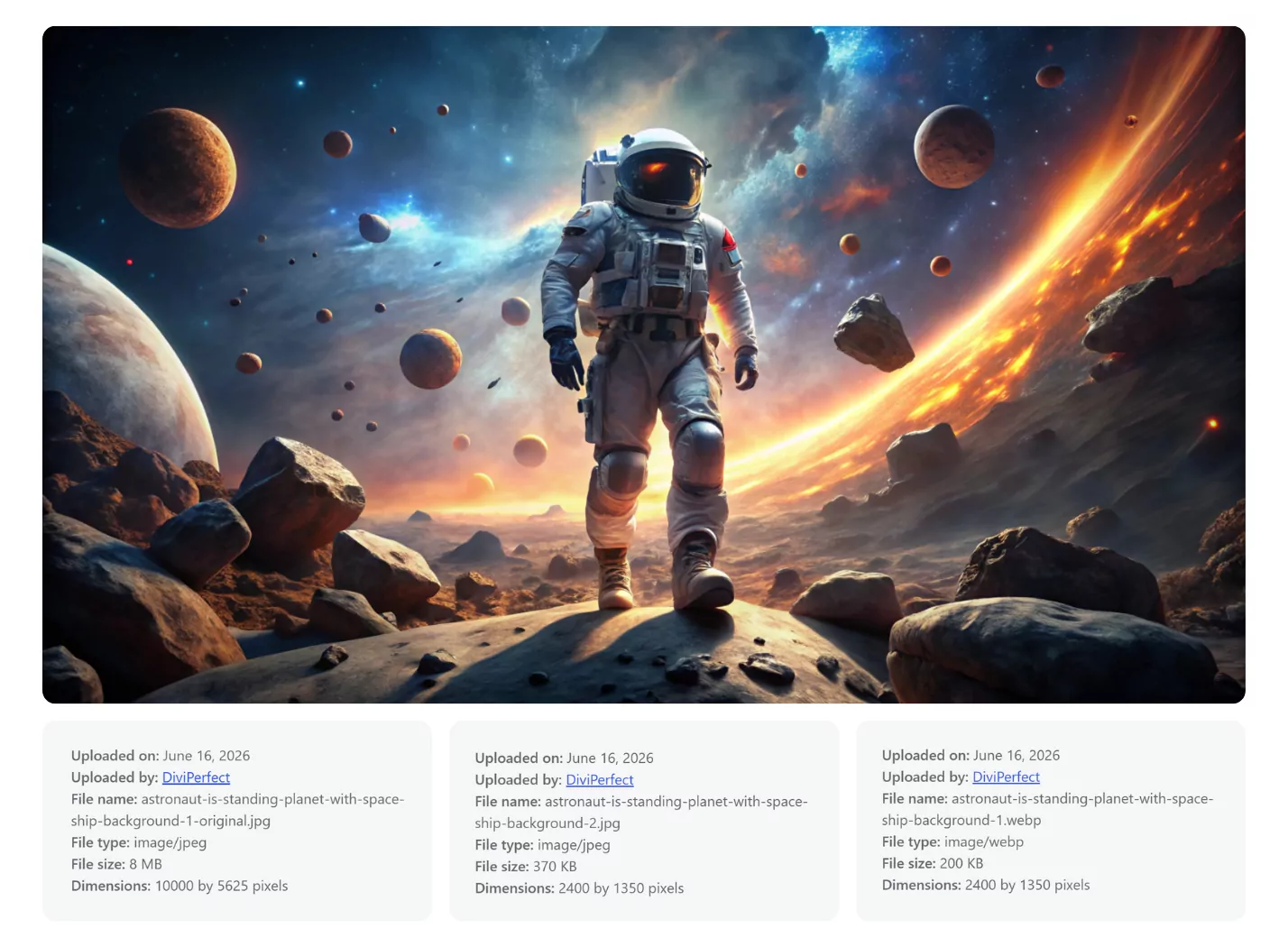
WebP is an image format developed by Google and introduced in 2010. It uses advanced compression algorithms producing smaller files than JPEG and PNG at comparable visual quality. For JPEG equivalents, WebP typically achieves 25–35% smaller file sizes. For PNG equivalents, savings can reach 50–80%.
Browser support is now universal — Chrome, Firefox, Edge, Safari (since version 14), and Opera all support WebP. Serving WebP images is safe for any site with a modern visitor base.
How Does WebP Affect Page Speed?
Images are typically 50–80% of a web page's total transfer size. Reducing image file sizes directly reduces download time, improving all major speed metrics:
- Largest Contentful Paint (LCP) — the hero or featured image loads faster
- Time to Interactive (TTI) — less data before the page is usable
- Total Blocking Time (TBT) — indirectly improved as the network queue clears faster
- PageSpeed Insights score — Google explicitly rewards smaller images in its audits
Does WebP Affect Google Rankings?
Yes, indirectly. Google's Core Web Vitals are a confirmed ranking factor. LCP is one of the three Core Web Vitals, and the hero image is usually the LCP element. Faster LCP improves your Core Web Vitals score, which contributes positively to rankings. Google PageSpeed Insights also specifically flags large JPEG or PNG images and suggests serving WebP or AVIF as an opportunity to reduce page load time.
What About AVIF — Is It Even Better?
AVIF achieves 40–50% smaller file sizes than JPEG. It is supported by Chrome, Firefox, Edge, and Safari (since version 16.4). It requires PHP 8.1+ with the GD imageavif() function or ImageMagick with AVIF support. Divi Image Compressor shows a warning on the AVIF option if your server does not support it.
How to Convert Your WordPress Images to WebP
- Go to DiviPerfect → Image Compressor → Compression Settings
- Set Output Format to "Convert to WebP"
- Set quality to 80
- Save Settings
- "Enable on Upload" converts all new uploads automatically
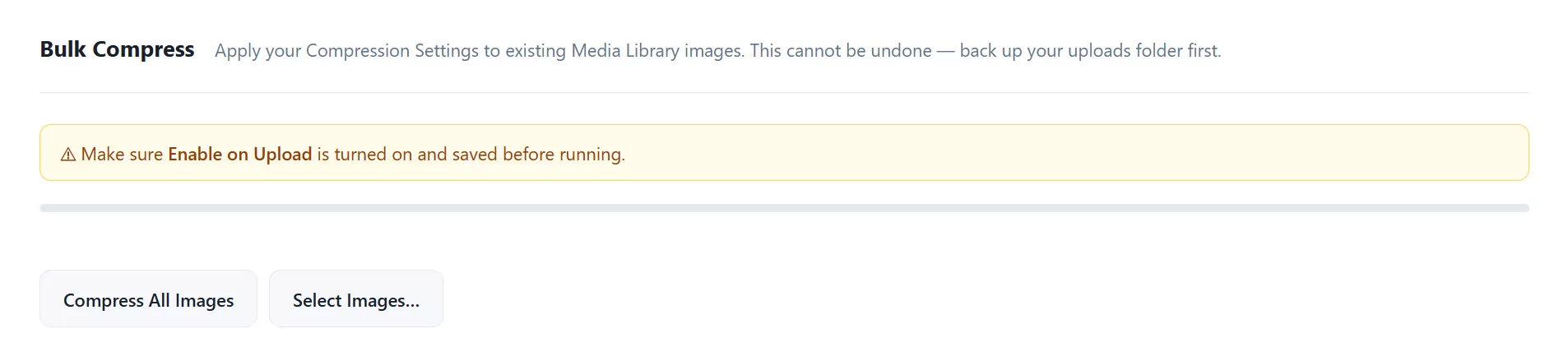
- Run Bulk Compress to convert your existing media library

The WebP Picture Tag Fallback
For edge cases with older browsers, Divi Image Compressor can wrap images in a <picture> tag with the original JPEG or PNG as a fallback. Enable "WebP <picture> Tag Fallback" in the Advanced Settings tab. This requires "Keep Original File" to also be enabled. In practice this fallback is rarely needed — WebP is supported by all browsers released after 2020.
Measuring the Impact
After converting to WebP, run a Google PageSpeed Insights test. Compare with any pre-conversion baseline. Sites with previously unoptimised images typically see LCP improvements of 30–60% and overall PageSpeed scores increase by 10–30 points.

Frequently Asked Questions
Is WebP supported by all browsers?
Yes, as of 2022. Chrome, Firefox, Edge, Opera, and Safari (version 14+) all support WebP. Only very old browser versions — Internet Explorer, Safari 13 and earlier — do not. These browsers represent a tiny fraction of web traffic today
Will converting to WebP break my existing pages?
No. The plugin updates the attachment record so WordPress serves the WebP file wherever the image is used — in posts, pages, Divi modules, WooCommerce products, and widgets. The transition is seamless.
What is the difference between WebP and AVIF?
AVIF is a newer format that typically achieves 40–50% smaller file sizes versus JPEG, compared to WebP's 25–35%. AVIF has slightly lower browser support (Safari gained full support in version 16.4) and requires more server-side support. WebP is the safer choice for most sites; AVIF is the best choice for servers that support it.
Does WebP support transparency like PNG does?
Yes. WebP supports both lossy and lossless compression, including alpha channel transparency. PNG files with transparency can be converted to WebP and retain their transparent background.
How much can I expect my PageSpeed score to improve after converting to WebP?
Results vary significantly by site. Sites with many unoptimised large images — common on photography, portfolio, and WooCommerce sites — typically see LCP improvements of 30–60% and PageSpeed score increases of 10–30 points. Sites that already had optimised images will see smaller gains.
Is it safe to delete the original JPEGs after converting to WebP?
If you are certain you do not need the originals as fallbacks, yes. However, keeping the originals is recommended — especially if you may ever need to regenerate images at different settings. Enabling "Keep Original File" in Compression Settings stores originals automatically so you can delete them manually at your discretion.